It's My Life Dog Video Generator

Put your pet in a vertical car clip. At the Wheel is the 15-second drive: your photo replaces the tan-and-black shepherd at the wheel, and the soundtrack already on that source stays with the edit. Passenger Seat, Sunglasses Ending, and Tracksuit Ride are separate one-photo clips for the desert passenger seat, the 6-second stare, or the tracksuit front seat. Start as a guest with one photo. Generating a video uses credits.

Role positions for At the Wheel

Make your It's My Life Dog video

0 of 1 photos added
Scene
Resolution
  • One photo for the seat you replace

    Each scene has one slot. Upload the pet who should take that seat. An empty slot keeps the animal already in the clip.

  • Quote before you generate

    The studio shows the credit charge for the selected scene and resolution before a render starts. There is no free watermarked preview.

  • One-time credit packs

    Credits are prepaid packs with no recurring subscription. Guests can generate and download when the quote is covered.

  • Soundtrack stays on the wheel clip

    At the Wheel and Sunglasses Ending keep the audio already on those source files, in time with the picture.

Finished examples

It's My Life Dog video showcase

See how each scene looks with different casts. Videos play muted until you turn on sound.

  • Pug in a blue bandana sings from the passenger seat

  • Cream Pomeranian with a pink bow in the passenger seat

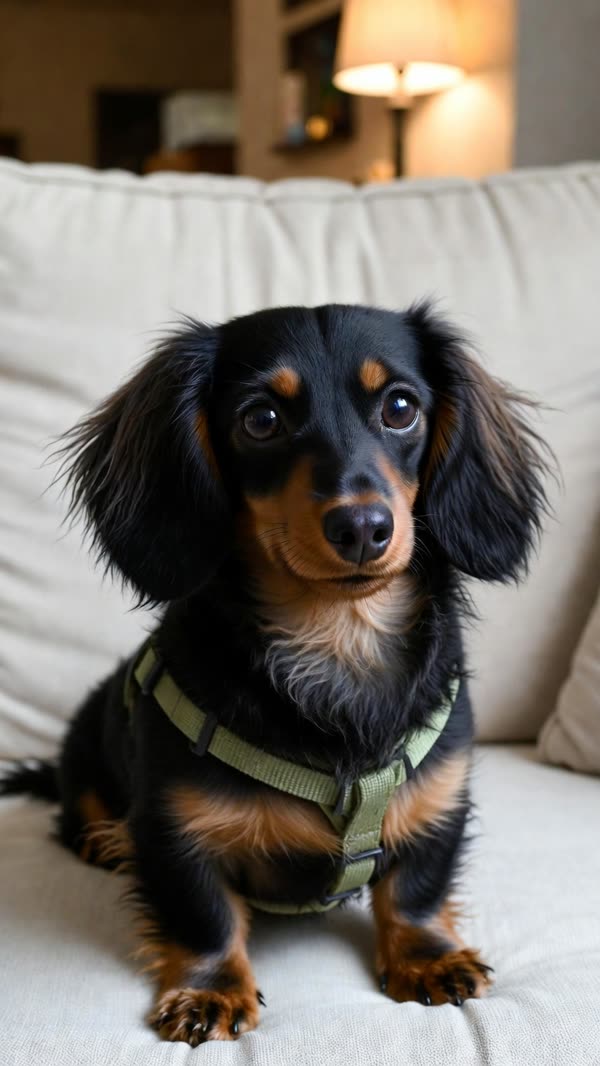
  • Long-haired dachshund in a green harness beside the phone

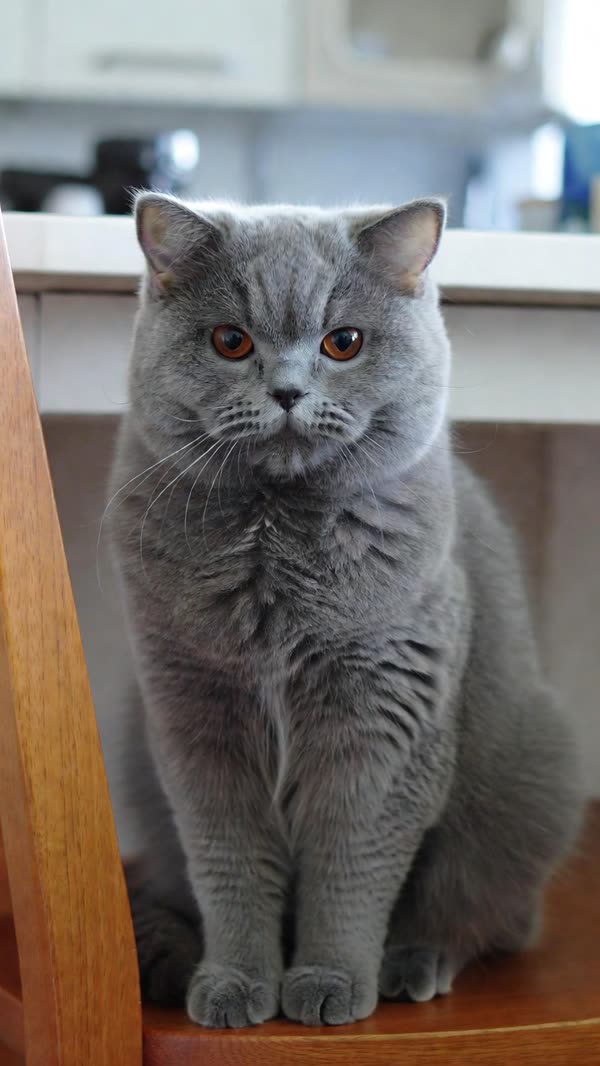
  • Gray British Shorthair belted into the passenger seat

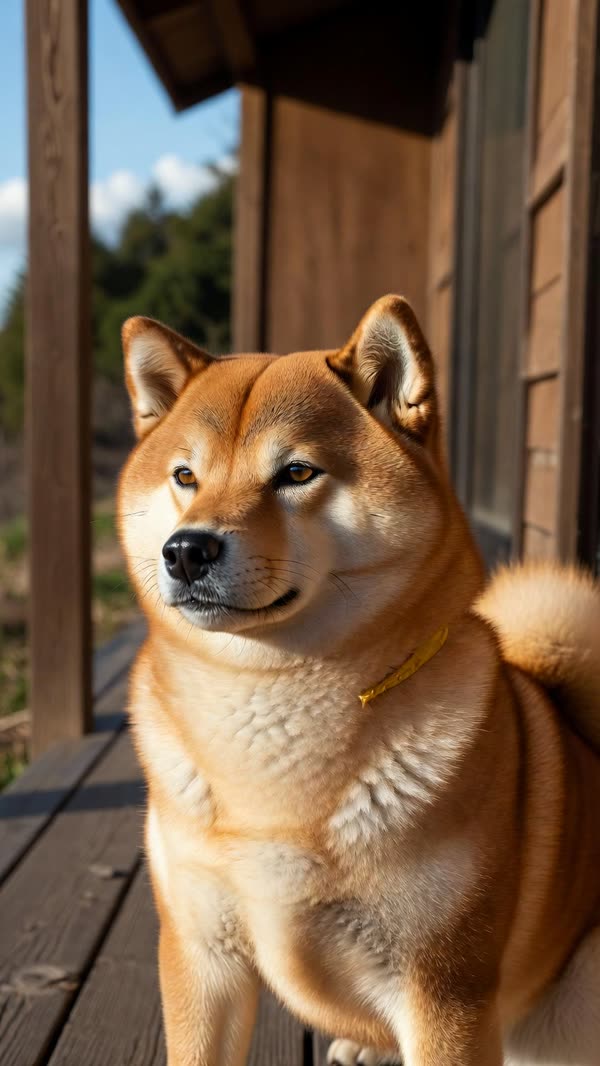
  • Red Shiba Inu in the passenger seat with a yellow collar

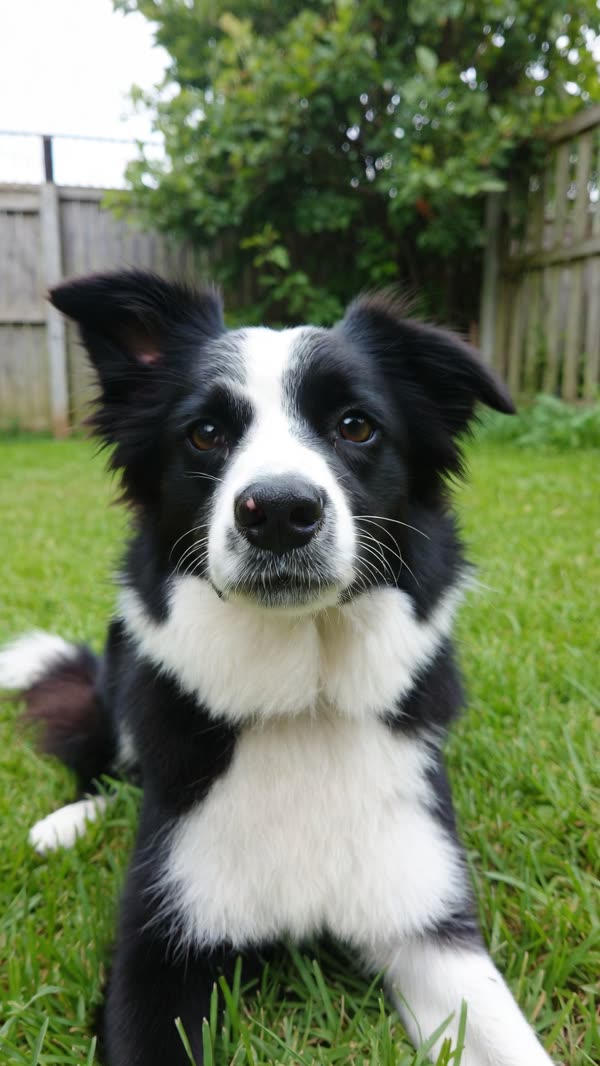
  • Black-and-white border collie in the passenger seat

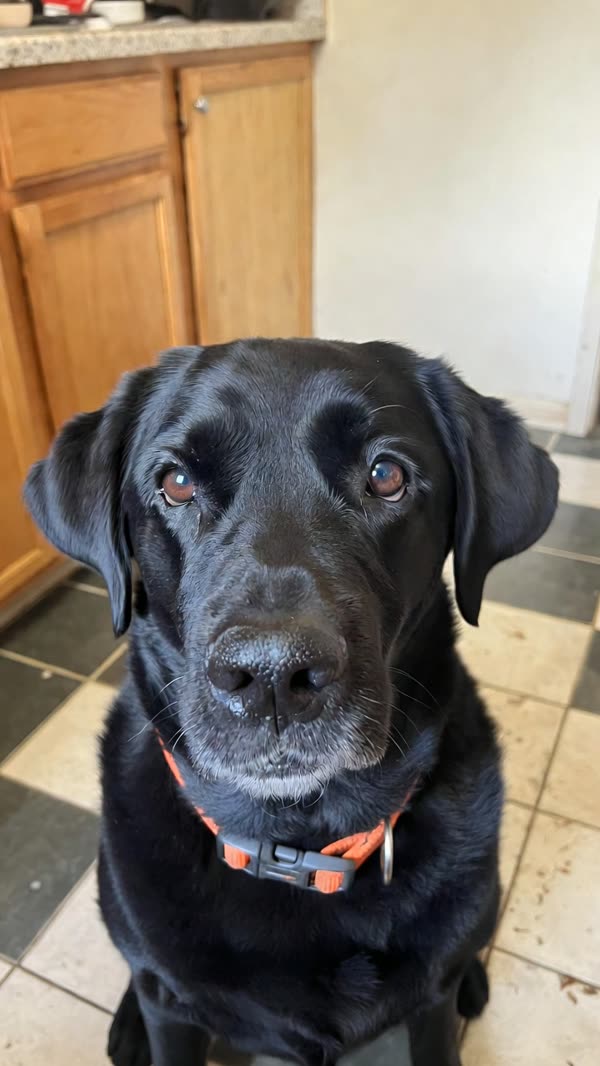
  • Black Labrador with an orange collar in the passenger seat

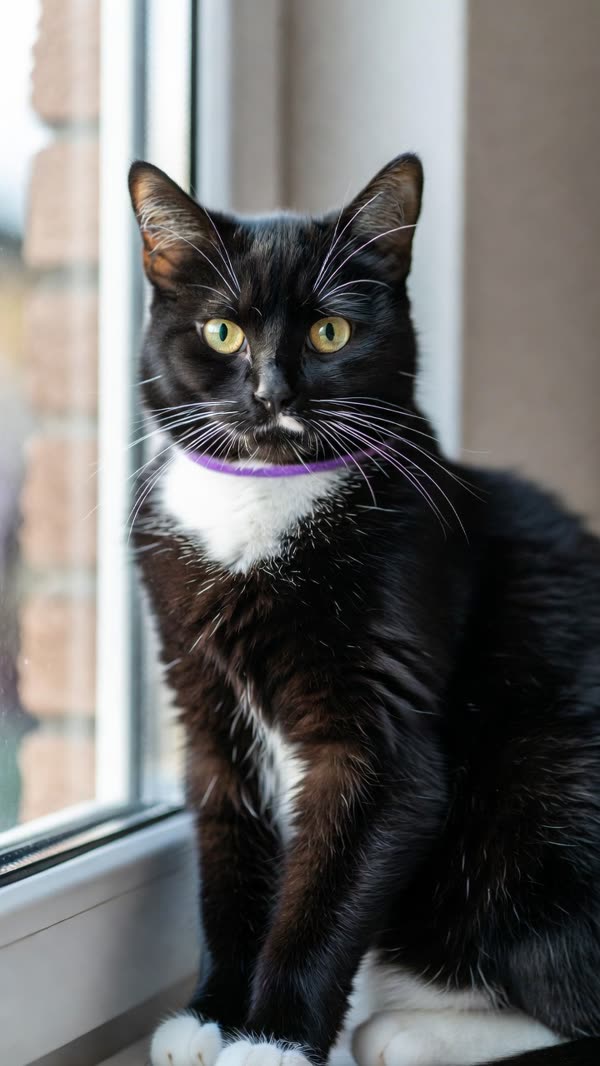
  • Tuxedo cat belted into the passenger seat

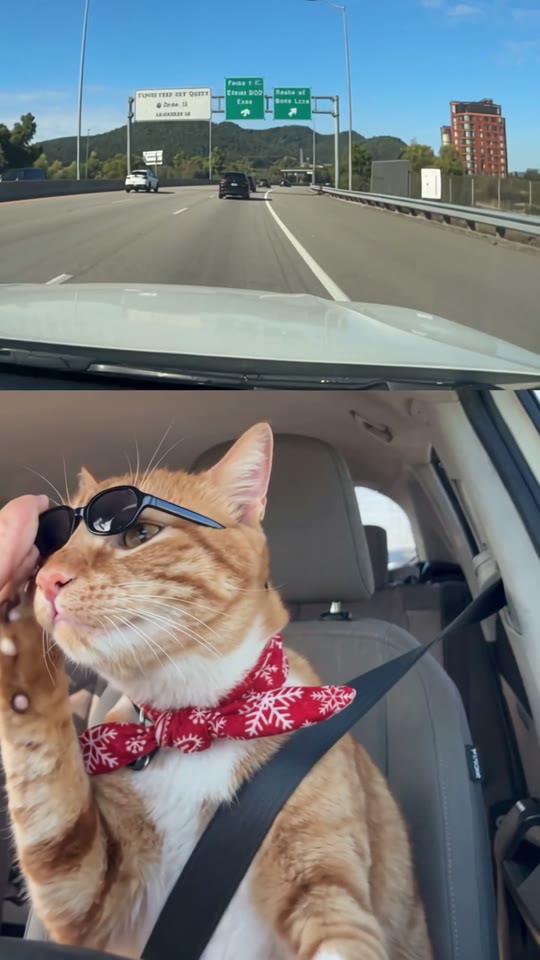
  • Orange tabby with a red bandana at the wheel

  • Shiba Inu with a pale collar at the wheel

  • Golden retriever at the wheel for the stare and sunglasses

Input and sample

It's My Life Dog before and after

See the input photos alongside a frame from a It's My Life Dog video.

Input photosSample frame
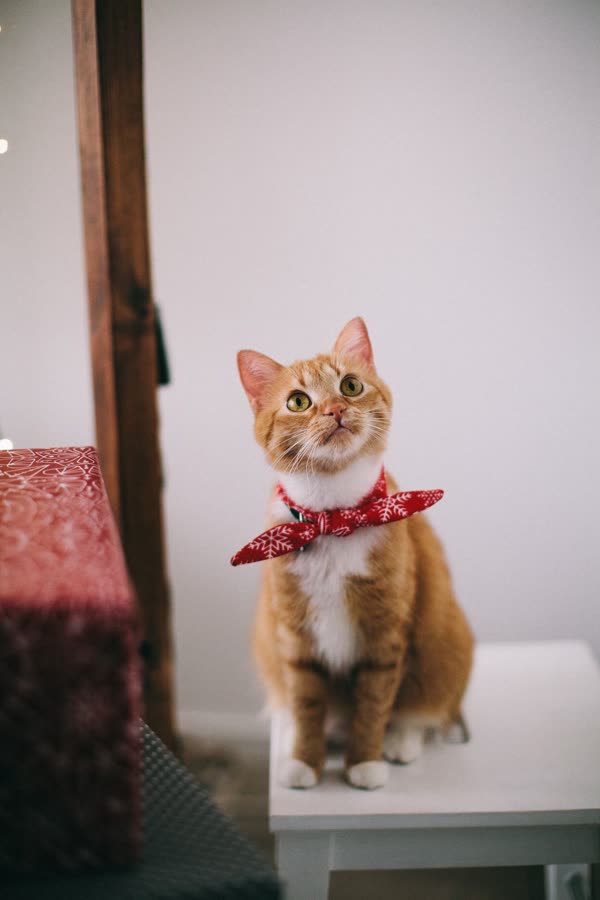
Orange tabby portrait facing the camera, white chest and red patterned bandana visible
Tabby singing at the wheel

Drag the divider to give either side more room.

It's My Life Dog video examples

Watch published reference clips and explore the scene setup.

Cast example

Orange tabby at the wheel

A still of an orange tabby paired with the 15-second wheel clip. The cat wears a red snowflake bandana, keeps both front paws toward the wheel, turns when a person appears on the bend, and gets black sunglasses from a hand on the left.

Input photos
Orange tabby portrait facing the camera, white chest and red patterned bandana visible
Cast example

Shiba Inu at the wheel

A still of a Shiba Inu paired with the same 15-second wheel clip. The dog wears a pale collar, sits buckled at the wheel, and follows the stare and the hand with the sunglasses.

Input photos
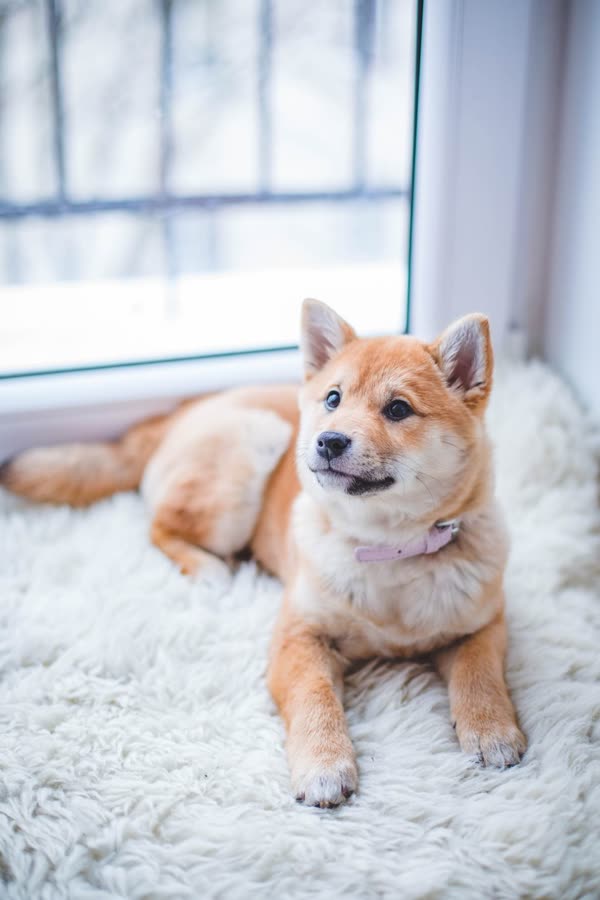
Shiba Inu facing the camera with upright ears, cream cheeks, and a pale collar
Cast example

Golden retriever in the 6-second ending

A golden retriever portrait paired with the 6-second ending. The dog is at the wheel on the open highway, with sunglasses on and the mouth open for the closing moment.

Input photos
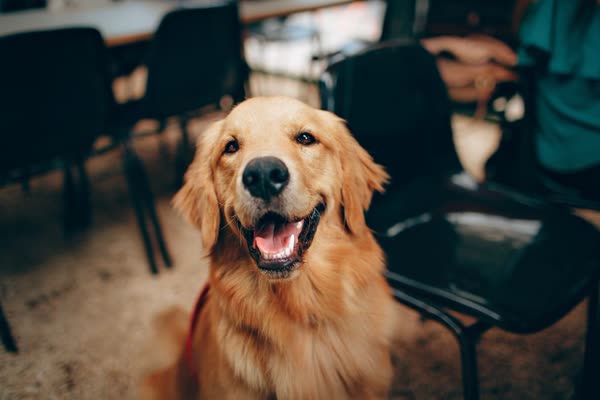
Golden retriever facing forward, mouth open, chest and front legs visible
Cast example

Pug in a blue bandana

A fawn pug portrait paired with the desert passenger seat. The pug wears a blue bandana, sits to the right of a phone mount, and receives black sunglasses from a hand.

Input photos
Fawn pug facing the camera, ears and chest in frame
Cast example

Pomeranian with a pink bow

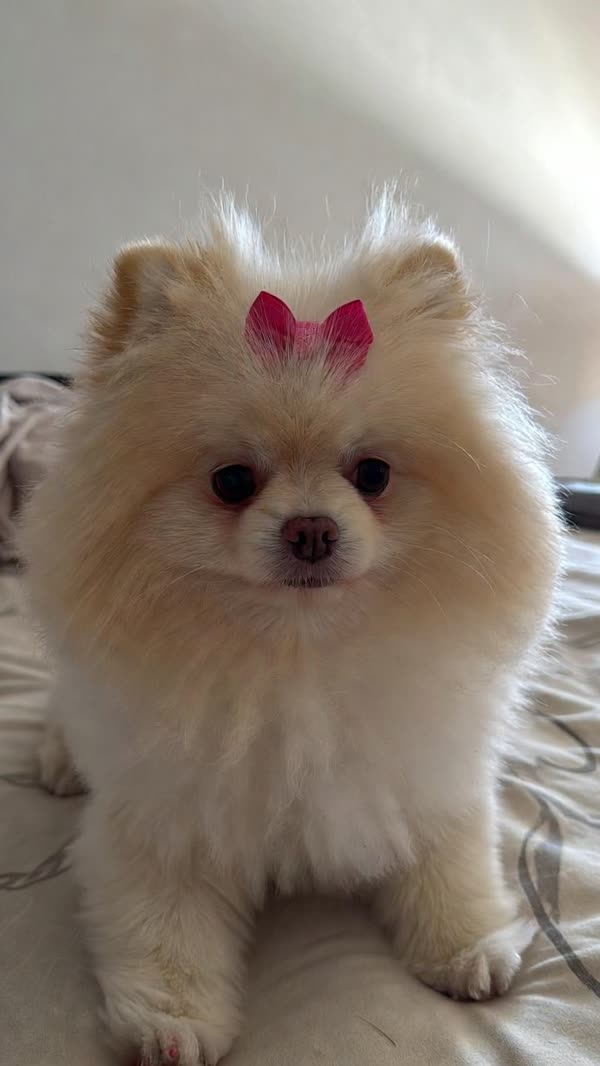
A cream Pomeranian portrait paired with the same passenger seat. A small pink bow sits on the head, and the phone mount stays on the left while sunglasses go on.

Input photos
Fluffy cream Pomeranian facing the camera with a pink bow on the head
Cast example

Dachshund in a green harness

A long-haired black-and-tan dachshund portrait paired with the passenger seat. The dog wears a green harness under the seatbelt, with the phone mount on the dash.

Input photos
Long-haired black-and-tan dachshund facing the camera
Cast example

Gray British Shorthair

A gray British Shorthair portrait paired with the passenger seat. The cat sits upright under the seatbelt, with a phone mounted higher on the headrest area and desert mountains ahead.

Input photos
Gray British Shorthair facing the camera, round face and orange eyes visible
Cast example

Shiba in the passenger seat

A red Shiba Inu portrait paired with the desert passenger seat. A thin yellow collar line shows at the neck, and the phone mount sits low on the left.

Input photos
Red Shiba Inu facing slightly aside, ears and chest visible
Cast example

Border collie in the passenger seat

A black-and-white border collie portrait paired with the passenger seat. The dog sits belted in under a straight desert highway, with the phone centered on the dash.

Input photos
Black-and-white border collie facing the camera, chest and ears visible
Cast example

Black Labrador in the passenger seat

A black Labrador portrait paired with the passenger seat. The dog wears a bright orange collar, and the mounted phone shows a map while the highway runs through dry hills.

Input photos
Black Labrador facing the camera, head and chest in frame
Cast example

Tuxedo cat in the passenger seat

A black-and-white tuxedo cat portrait paired with the passenger seat. The cat sits upright with white paws forward, seatbelt on, and the phone mount low at the left.

Input photos
Black-and-white tuxedo cat facing the camera, white chest and paws visible

Example clip

The workflow

How to make a It's My Life Dog video

Pick a named scene, add a photo for the seat you want to change, and generate with the credit quote on screen. The finished file is ready to download on the result page.

  1. Choose a scene

    Start with At the Wheel for the full 15-second drive. Switch to Passenger Seat, Sunglasses Ending, or Tracksuit Ride when you want that other clip.

  2. Add the pet photo

    Upload one portrait for the named slot, such as Pet at the wheel or Passenger pet. Leave the slot empty only if that animal should stay as filmed.

  3. Generate with the quote

    The credit charge follows the scene and the resolution you select. Guests can continue when the balance covers that quote. There is no free watermarked preview render.

  4. Download the clip

    Save the finished video from the result page. Sign in from the dialog on this site if you want the same clip kept under My Videos.

Scene library

Pick a It's My Life Dog scene

Watch a reference for each scene, then try its setup in the studio.

The scene library listed 4 scenes as of .

1 photo

At the Wheel

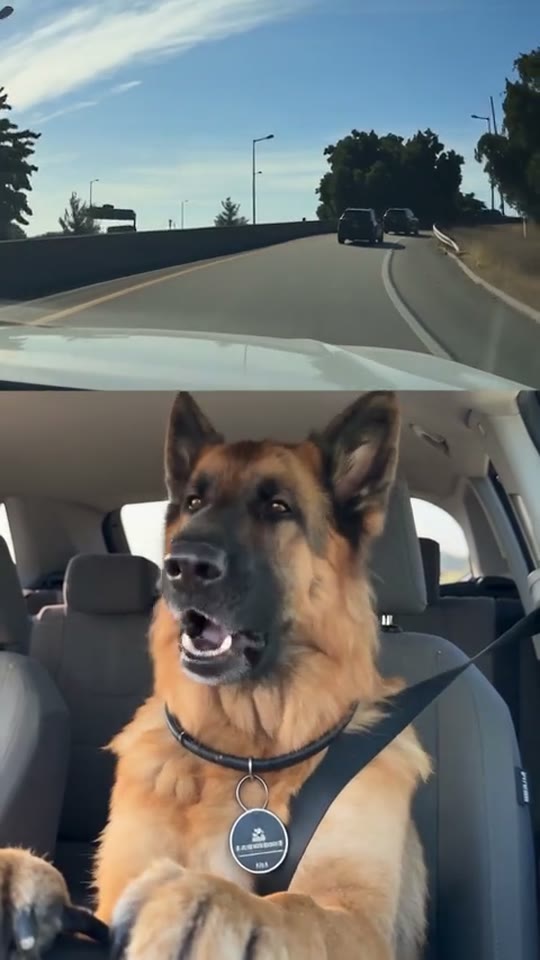
A 15-second vertical clip that replaces the tan-and-black shepherd at the wheel with your pet, then keeps that pet through the singing, the stare, and the sunglasses. The soundtrack already on this source stays in sync. One photo slot. Leaving Pet at the wheel empty keeps the shepherd.

1 photo

Sunglasses Ending

A 6-second vertical clip that starts on the deadpan stare, then a hand from the left sets black sunglasses on the pet at the wheel, then the singing picks up. Your photo replaces the tan-and-black shepherd. The soundtrack on this shorter source stays in sync. One photo slot. Leaving Pet at the wheel empty keeps the shepherd.

1 photo

Passenger Seat

A fawn pug portrait paired with the desert passenger seat. The pug wears a blue bandana, sits to the right of a phone mount, and receives black sunglasses from a hand.

Fawn pug facing the camera, ears and chest in frame
1 photo

Tracksuit Ride

A 14.7-second vertical clip that replaces the adult pug in the red tracksuit with your pet. The small pug in the back seat stays in the picture, and the front pet's own paw lifts the black sunglasses. One photo slot. Leaving Front-seat pet empty keeps the tracksuit pug. The audio already on this file stays in sync.

Make it yours

Ideas for It's My Life Dog videos

Choose a scene based on the kind of shot you want.

Photo checklist

Photos for your It's My Life Dog video

See which photos work best for a It's My Life Dog scene.

The studio currently accepts JPG, PNG, WebP or HEIC up to 20 MB per photo.

UseUse one clear photo of one pet: JPG, PNG, WebP, or HEIC, up to 20 MB. iPhone HEIC is converted automatically. A front-facing or slightly turned head works best, with both eyes, the nose, the ears, the chest, and a little space above the ears in even daylight.
AvoidSkip group photos, a person holding the pet, sunglasses already on the face, a tight nose crop, a full side profile, a dark or blurry frame, a screenshot, a sticker, or a heavy filter. The car, seatbelt, highway, and sunglasses come from the scene.
Studio details

Use It's My Life Dog in your browser

Open the studio on a phone or computer without installing an app.

Scene length
6s or 15s
Details about Scene lengthSunglasses Ending is the measured 6-second close. At the Wheel is the measured 15-second drive. Passenger Seat is about 15 seconds, and Tracksuit Ride is 14.7 seconds.
Photo slots
1 each
Details about Photo slotsEvery scene is a solo slot. You replace one animal. Empty means that animal stays. Tracksuit Ride still leaves the back-seat pug in the picture.
Credits
Pay as you go
Details about CreditsOne-time packs add credits to your balance. The quote before generation follows the scene and resolution. There is no subscription and no free watermarked preview.
Account
Guest or saved
Details about AccountGuests can create and download immediately. The sign-in dialog on this site keeps history at My Videos for an existing account or a new one.
Open the studio

It's My Life Dog video pricing

See the price of one It's My Life Dog video at each resolution and view credit packs.

Published rates as of start at $5.48 USD per video before tax. The studio shows the current rate and availability. See full pricing.

Prices by scene and resolution

These prices were recorded on . The generator shows the current charge.

SceneResolutionCreditsVideo price (USD)
At the Wheel480p998$9.98
At the Wheel720p1,298$12.98
At the Wheel1080p2,498$24.98
At the Wheel4K3,998$39.98
Sunglasses Ending480p548$5.48
Sunglasses Ending720p698$6.98
Sunglasses Ending1080p1,298$12.98
Sunglasses Ending4K2,048$20.48
Passenger Seat480p998$9.98
Passenger Seat720p1,298$12.98
Passenger Seat1080p2,498$24.98
Passenger Seat4K3,998$39.98
Tracksuit Ride480p998$9.98
Tracksuit Ride720p1,298$12.98
Tracksuit Ride1080p2,498$24.98
Tracksuit Ride4K3,998$39.98

Credit pack prices

These USD subtotals were recorded on . Checkout shows current availability and the final charge, including applicable tax.

PackCreditsPrice (USD)
Starter1,996$19.96
Creator4,990$44.98
Studio9,980$69.98
Pro19,960$119.98
Loading current pricing…
The format

What is It's My Life Dog?

It's My Life Dog is a vertical car joke: highway footage on top, a pet belted in below, an open mouth, a sudden straight face, black sunglasses, then the singing picks up again.

Read more

On this studio the pet comes from your photo and the car comes from the scene you pick. At the Wheel is the 15-second version with the shepherd's seat, paws toward the wheel, a person on the bend, and a hand bringing the sunglasses. Passenger Seat uses a different road and a phone mount. Sunglasses Ending keeps only the stare through the last line. Tracksuit Ride keeps a second, smaller pug in the back seat and lets the front paw lift the sunglasses. You do not write a prompt or film a drive.

At the Wheel and Sunglasses Ending keep the soundtrack already on those source files. A social app can still mute a post if it recognizes a commercial recording.Watch the reference clips
Help

It's My Life Dog video FAQ

Find answers about photos, pricing, and making a It's My Life Dog video.

What are credits for?

Credits pay for a finished video render. The studio shows the credit quote for the scene and resolution you selected before you generate. Browsing scenes does not spend credits.

How does a purchase add credits?

When checkout is available, a completed purchase of a one-time credit pack adds those credits to your balance. The packs are prepaid and do not renew on a schedule.

What changes the credit charge?

The selected scene and the selected resolution set the quote. At the Wheel, Sunglasses Ending, Passenger Seat, and Tracksuit Ride can differ because the source clips differ. Current pack sizes and rates stay on the live pricing page.

Is there a free preview render?

No. There is no free watermarked preview render. You see the credit quote first, and the render starts when that quote is covered.

What happens if a generation fails?

Anvil returns any deducted credits when it stops a request before submission or the provider rejects it. After the provider accepts the job, the generation stays charged if it fails or the video cannot be delivered.

Can I make a video as a guest?

Yes. Guests can add a photo, generate when they have enough credits, and download the finished file. Sign in from the dialog on this site if you want that video saved to My Videos.

How do I sign in or open an account?

Use the sign-in dialog on this site. The email and password form continues into an existing account or creates a new one. There is no separate registration page to open.

Which photo files can I upload?

Upload JPG, PNG, WebP, or HEIC images up to 20 MB each. iPhone HEIC is converted automatically. A clear front-facing pet portrait works best, with the eyes, nose, ears, and chest visible.

Can I use a cat or another pet?

Yes. Dogs and cats both appear in the samples, including an orange tabby at the wheel and a gray British Shorthair in the passenger seat. Other faced pets are allowed on a best-effort basis, and the result depends on the scene's framing and light.

Can I put myself in the seat with my pet?

No. Every scene has one slot for one subject. A group photo, or a person holding the pet, leaves the edit unsure who should sit there. Human portraits can be uploaded, while these clips are framed around an animal face, paws, and a seatbelt.

Do I need a photo that already shows a car?

No. The highway, the seat, the seatbelt, and the sunglasses come from the scene. A plain portrait in daylight is the right upload, without sunglasses already on the face.

How long is the video, and does it include sound?

At the Wheel is 15 seconds and Sunglasses Ending is 6 seconds, and both keep the soundtrack already on those source files. Passenger Seat is about 15 seconds and Tracksuit Ride is 14.7 seconds, and each keeps the audio already in its own file. You cannot upload a different song or set a custom length.

Do I write a prompt or film my pet in a car?

No. You choose a scene, add a photo for the slot you want to replace, and generate. The car and the timing are already in the source clip.

How do I delete a video?

Use Delete video on the video page or in My Videos. That removes the output, turns off shares, and deletes source uploads that are no longer used. You can also email support@itsmylifedog.video. Files older than 30 days may be removed during manual storage cleanups.

Do I need a subscription?

No subscription is required. It's My Life Dog uses pay-as-you-go one-time credit packs with no recurring billing.

What happens to my credits if a generation fails?

If a video generation fails or is rejected before delivery, your deducted credits are automatically returned to your balance (for billing questions, email support@itsmylifedog.video).
It's My Life Dog video guides

Read practical guides for choosing photos, setting up a scene, and sharing a It's My Life Dog video.

Choose the It's My Life Dog clip

Compare At the Wheel, Sunglasses Ending, Passenger Seat, and Tracksuit Ride by seat, length, sunglasses, and how many animals stay in the frame.

Pet photo for the car clip

How to frame one dog or cat photo for At the Wheel, Sunglasses Ending, Passenger Seat, and Tracksuit Ride.

Sign in