At the Wheel

A 15-second vertical clip that replaces the tan-and-black shepherd at the wheel with your pet, then keeps that pet through the singing, the stare, and the sunglasses. The soundtrack already on this source stays in sync. One photo slot. Leaving Pet at the wheel empty keeps the shepherd. Start as a guest with one photo. Generating a video uses credits.

Scene details as of · 1 photo · 15 sec video

Role positions for At the Wheel

Make a clip

0 of 1 photos added
Resolution

Verified studio facts

Billing
Pay-as-you-go one-time credit packs with no recurring subscription required.
Starting price
From $9.98 USD per generated video; one-time credit packs start at $19.96 USD for 1,996 credits before tax.
Free preview
No free watermarked preview render; generation runs after choosing a scene, uploading photo(s), and confirming the credit quote.
Photo input
1 photo (Pet at the wheel) — human portraits or clear front-facing pet/animal photos (results vary by scene); JPG, PNG, WebP or HEIC up to 20 MB per file.
Scene setup
At the Wheel · 15 sec · 480p / 720p / 1080p / 4K
Privacy & support
Uploaded photos and generated videos stay available until you use Delete video on your result page/My videos or email support@itsmylifedog.video; files older than 30 days may be periodically removed during manual storage cleanup.

The 15-second seat at the wheel

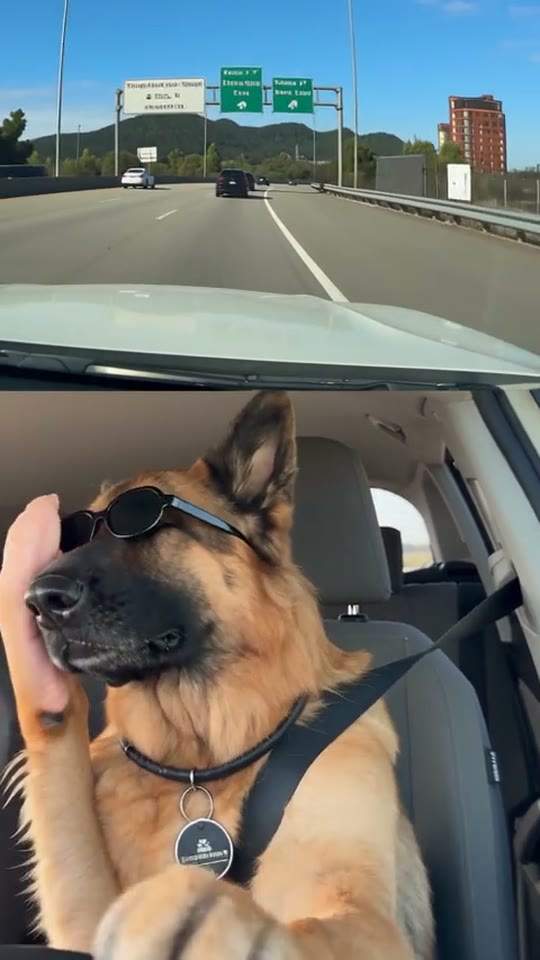
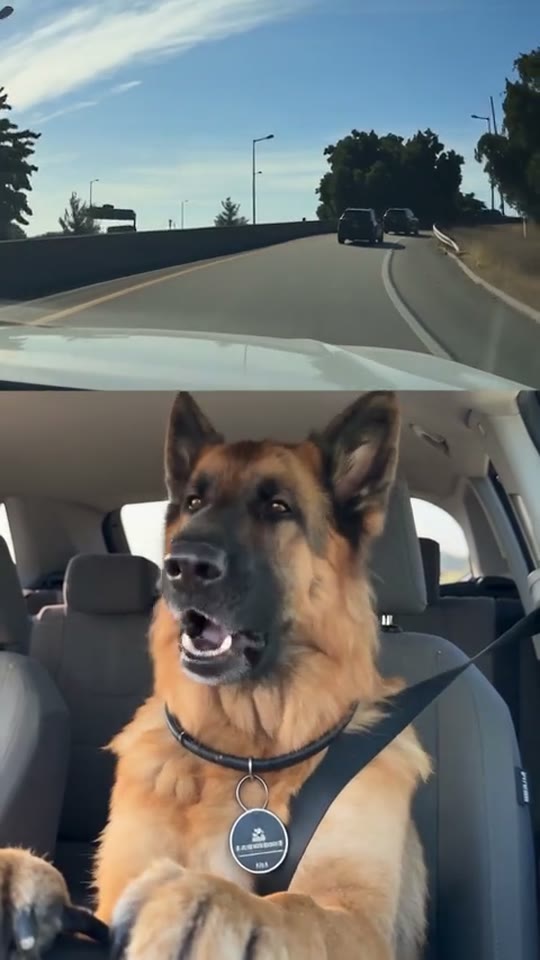
At the Wheel is one continuous car joke in a vertical frame. The top half is the highway ahead. The bottom half is the tan-and-black shepherd buckled in, front paws toward the wheel, black collar and round tag visible. Your photo in Pet at the wheel replaces that shepherd and stays with the same motion: mouth open while the road curves, head turned when a person steps into the bend, a still stare once the highway opens up, then a hand from the left setting on black sunglasses before the last sung moment.

The seat, seatbelt, wheel, road, jump in the highway view, and the hand stay as they are in the 15-second source. The soundtrack already on that source stays in sync. One slot is the whole cast. Leave it empty and the shepherd remains. Photo framing is covered in the pet photo guide, and the other clips are compared in choose a clip.

Same wheel clip, two different pets

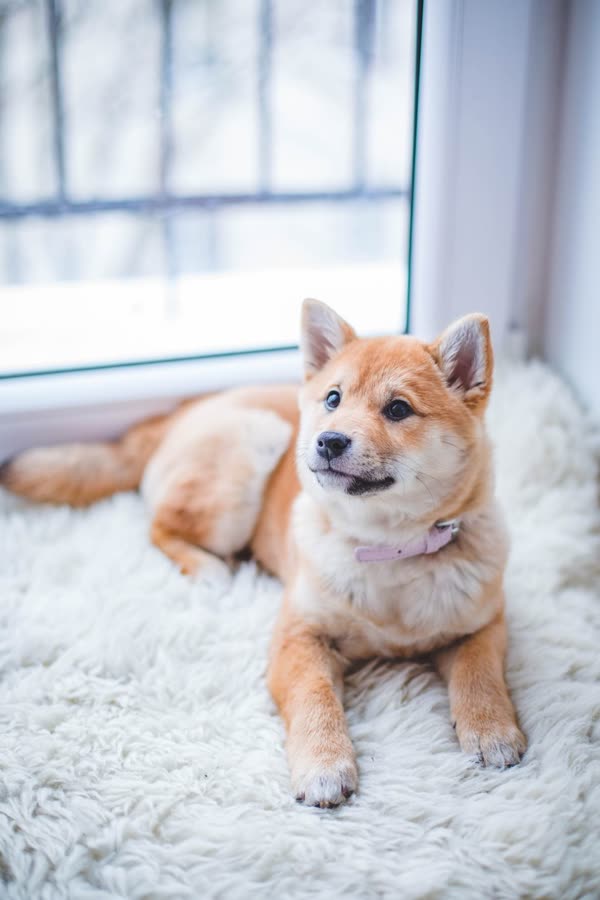
Each sample pairs a still portrait with a 15-second result in this driver's seat. The tabby wears a red snowflake bandana. The Shiba wears a pale collar. Both keep paws toward the wheel while a hand adds the sunglasses.

Cast example

Orange tabby at the wheel

A still of an orange tabby paired with the 15-second wheel clip. The cat wears a red snowflake bandana, keeps both front paws toward the wheel, turns when a person appears on the bend, and gets black sunglasses from a hand on the left.

Input photos
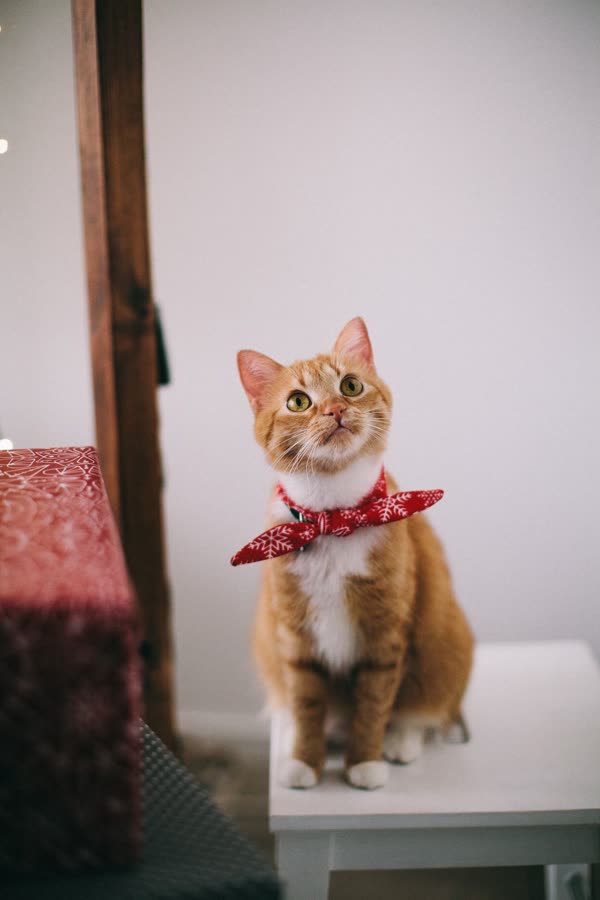
Orange tabby portrait facing the camera, white chest and red patterned bandana visible
Cast example

Shiba Inu at the wheel

A still of a Shiba Inu paired with the same 15-second wheel clip. The dog wears a pale collar, sits buckled at the wheel, and follows the stare and the hand with the sunglasses.

Input photos
Shiba Inu facing the camera with upright ears, cream cheeks, and a pale collar

Example clip

What to put in Pet at the wheel

Upload one portrait of the pet who should sit at the wheel. The photo replaces the tan-and-black shepherd: face, ears, coat, and markings. A collar or bandana that is clearly part of that portrait can come along, which is what the tabby bandana and the Shiba's pale collar do in the samples.

The shepherd's seat, seatbelt, paws-toward-the-wheel pose, and the hand from the left stay in the source. You do not need a car, a highway, or sunglasses in the photo. Sunglasses in the still fight the moment when the hand puts them on. Use a single pet. A person holding the animal, or two animals in one file, leaves the slot unsure who belongs in the seat.

Files can be JPG, PNG, WebP, or HEIC up to 20 MB. HEIC from an iPhone is converted automatically. More framing notes are in the pet photo guide.

A front-facing Shiba with ears, eyes, and chest in frame is the kind of still this slot uses.

Runs locally in browser — nothing uploaded
Preview photo readiness on your device

Accepts JPG, PNG, WebP or HEIC up to 20 MB. Nothing is uploaded or billed during this check.

  1. Pet at the wheel

    One front-facing pet photo. Show the face, ears, and chest in daylight, and leave sunglasses off. This photo replaces the shepherd at the wheel.

Make the 15-second wheel clip

The scene, the photo, and the quote are the whole job. You do not film the car.

  1. Open At the Wheel

    Confirm the preview is the split highway with the shepherd at the wheel. This is the 15-second source, soundtrack included.

  2. Add Pet at the wheel

    Upload one front-facing pet photo with the face, ears, and chest visible. Leave the slot empty only if the shepherd should stay.

  3. Generate from the quote

    Check the credit quote for this scene and the resolution you picked, then generate. Download the file on the result page.

When this 15-second drive fits

Choose At the Wheel when you want every beat of the joke in one file.

  • The whole sing-and-stare joke

    The clip runs from the open mouth on the curving road through the person on the bend, the silent stare, the sunglasses, and the last sung moment.

  • A dog or a cat in the driver's seat

    The Shiba sample and the orange tabby sample both use this same wheel clip. Any other clear pet photo is accepted on a best-effort basis.

  • A share that keeps the source sound

    The edit keeps the soundtrack already on this 15-second file. A social app may still mute a post that uses a commercial recording.

Credits for this 15-second scene

The quote before you generate is the charge for At the Wheel at the resolution you select. Credits come from one-time packs, with no subscription and no free watermarked preview. Pack prices and checkout stay on the live pricing page.

Prices by scene and resolution

These prices were recorded on . The generator shows the current charge.

SceneResolutionCreditsVideo price (USD)
At the Wheel480p998$9.98
At the Wheel720p1,298$12.98
At the Wheel1080p2,498$24.98
At the Wheel4K3,998$39.98
Loading current pricing…

At the Wheel questions

Who does Pet at the wheel replace?

That one photo replaces the tan-and-black shepherd in the lower half, the dog with the black collar and both front paws toward the wheel. The highway, seat, seatbelt, and the hand from the left stay.

Is my pet in the driver's seat?

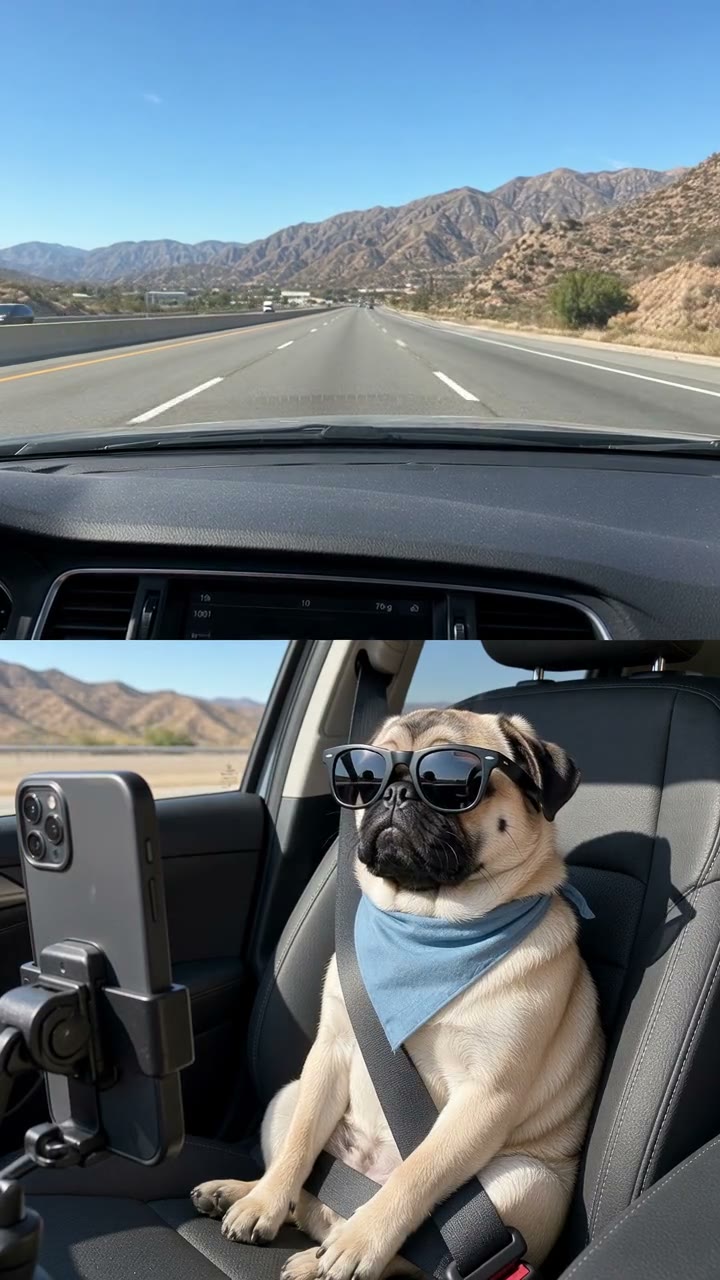
Yes. In this clip the pet sits at the wheel, with the front paws toward the steering wheel and the seatbelt across the chest. The desert passenger seat with the phone mount is the Passenger Seat scene.

Who puts the sunglasses on?

A human hand enters from the left and sets the black sunglasses on the pet. That hand is part of the source. Your photo does not become the hand.

What happens on the road above?

The clip opens on a curving highway, then shows a person standing in the lane on a bend, then cuts to a wider highway for the stare and the sunglasses. That road change stays in the edit.

Does this file keep its sound?

Yes. The 15-second source includes an audio track, and the edit keeps that soundtrack in sync. This studio does not offer a separate song upload or a custom length.

What if I leave the slot empty?

Pet at the wheel is the only slot. Leave it empty and the shepherd stays in the seat for the full 15 seconds.

Will the black collar stay on my pet?

The samples keep accessories that are in the uploaded photo: a red snowflake bandana on the tabby, a pale collar on the Shiba. A plain portrait does not need the shepherd's collar.

Put your pet at the wheel

One photo, the 15-second drive, and the soundtrack already on this clip.

Use At the Wheel

Sign in